Page 5 of 19

Why I Moved Up to the Verizon Share Everything Plan: They Will Not Flip Your SIM!

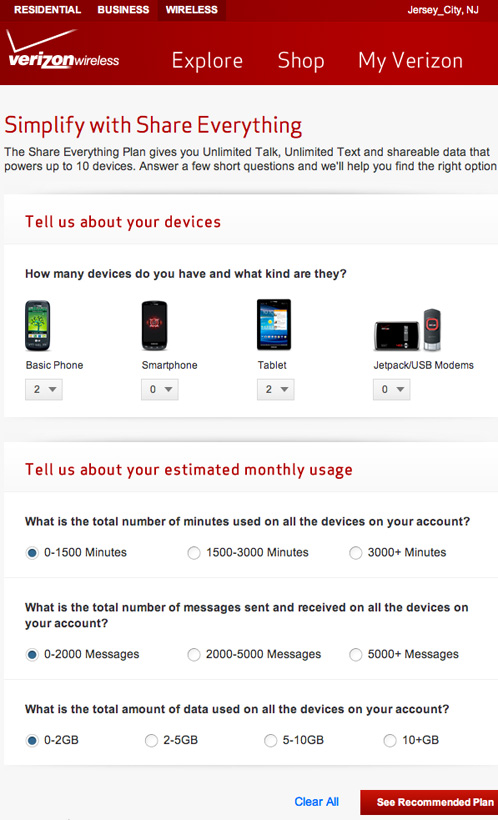
Yesterday, I spent my morning stuck in a Verizon store — not trying to order the new iPhone 5 — but rather trying to achieve one simple task: Swapping out the old SIM cards on my two iPad 2(s) and not getting very far, even though I had already done my web research and wasted an hour on the phone with Verizon customer support telling me the only way to add the iPads to my new “Share Everything Plan” was to replace the SIM cards because a “pre-pay” SIM card is hardcoded in the Verizon system as a standalone device and the only way to add an iPad to a shared data plan is to replace the pre-pay SIM card with a “post-pay” SIM card.

Easy, right?

Not so fast!
Continue reading → Why I Moved Up to the Verizon Share Everything Plan: They Will Not Flip Your SIM!

My Obsessive Verizon LTE iPad Testing Continues

I confess I am obsessed with trying to figure out why Verizon LTE is so sucky on our two brand-new iPads.  Yesterday, we were at the dentist’s office in Jersey City and I asked Janna to pull out her iPad to see what kind of service levels we were getting.  Our dentist is one block away from our home where I was getting two Verizon LTE bars and 1.7Mbps down and 1.47Mpbs up.  At the dentist’s office, the iPad was screaming at 25.94Mbps down and 10.35Mbps up with four bars of Verizon LTE active!  Amazing!  An outrage!

Continue reading → My Obsessive Verizon LTE iPad Testing Continues

Failure of Verizon LTE on the New iPad

I had high hopes for Verizon and their LTE network when I first unboxed my new iPad. I knew the LTE spec could be as high as 20Mbps down and 10Mbps up — but I’d settle for half of those numbers.  I’d read reports that people were getting LTE speeds in NYC of 10Mbps down and 6Mbps up and I’d love to be able to live that fast on the web.

Unfortunately, my initial tests in Jersey City were lousy, and yesterday, I did some informal LTE testing around Bryant Park in New York City.  You’d think at 6th Avenue and 40th Street you’d have a saturating LTE signal from Verizon.  Here are the results of my first, dismal, test:  Two Verizon LTE bars and 1.7Mbps down and 1.47Mpbs up.  Ugh.  That’s miserable 3G territory!

Continue reading → Failure of Verizon LTE on the New iPad

New iPads Arrive: Typekit Fonts Now a Blogging Necessity

Today was a busy and glorious day. Our new iPads arrived three days early from China and we enjoyed setting them up via iCloud and experiencing our first, if limited, tastes of LTE on Verizon. In Jersey City, LTE comes and goes in our apartment. Sometimes it flickers to life. Other times, we’re stuck on 3G with no way to understand the why or wherefore of being pressed off the LTE network. Here’s a quickie screenshot I was able to grab of my iPad on LTE with two service bars active. 5.67 Mbps down and 0.19 Mbps up.

Continue reading → New iPads Arrive: Typekit Fonts Now a Blogging Necessity

The Mastered for iTunes Review

Last week, I was intrigued to read about the new “Mastered for iTunes” albums that are now appearing in the online store:

Enhanced Audio on iTunes: This week, Apple quietly introduced a new section of its iTunes store called Mastered for iTunes, with albums whose sound has been adjusted by engineers “for higher fidelity sound on your computer, stereo and all Apple devices.” Mastering, the fine tuning at the end of the recording process, has long been tailored to specific audio formats, and Apple’s changes come after years of complaints by musicians, including Neil Young, that sound quality suffers from the compression used by digital services to reduce a file’s size.

Continue reading → The Mastered for iTunes Review

OnLive Desktop Plus Review for iPad

UPDATE: February 24, 2012
I was using Internet Explorer via OnLive last night and the speed was so fast I decided to see if I could get quantification for download and upload speeds for the Plus service.  I couldn’t get my old favorite, Speakeasy, to load on OnLive, but I was able to get Speedtest.net to work and here are the results:  An astonishing 88.05Mbps down and a fantastical 70.72Mbps up.  Now that’s some fast internet!  NYU slowly turns green…

Today, I just shelled out my first $5.00USD monthly fee for OnLive Desktop Plus for my iPad 2.  I decided to go the money route for OnLive Desktop Plus to get priority access because the free version is incredibly slow and monotonous.  I also wanted to see just how fast the Internet Explorer 9 interface was on the iPad going through the OnLive Desktop Plus backend.

Continue reading → OnLive Desktop Plus Review for iPad

Björk and Biophilia on the iPad

The iconic Björk released a new album — Biophilia — for the iPad and it is a magical experience to interact with her music with your ears and fingers and eyes.  This is how music is meant to be experienced.  You can touch the tones.  You can manipulate rhythm and melody — and everything still remains innately Björk — but your unique involvement in changing the music through experimentation cannot be denied:

For Biophilia, she’d originally envisioned a musical house — like a museum, she’s said — wherein people could roam from room to room, with each interactive space designated to a different song. Later, she envisioned an IMAX film experience with visionary filmmaker Michel Gondry. When both of those ideas fell through, Björk commissioned an iPad app with which users can manipulate her music with various games, remix it and further understand the scientific and musical principles behind each song. It’s a lot like her idea for the musical house, but in a digital environment. It’s also just the kind of bonkers vision that Björk would be drawn to, and if it all works, it ought to be ingenious and tons of fun.

Continue reading → Björk and Biophilia on the iPad